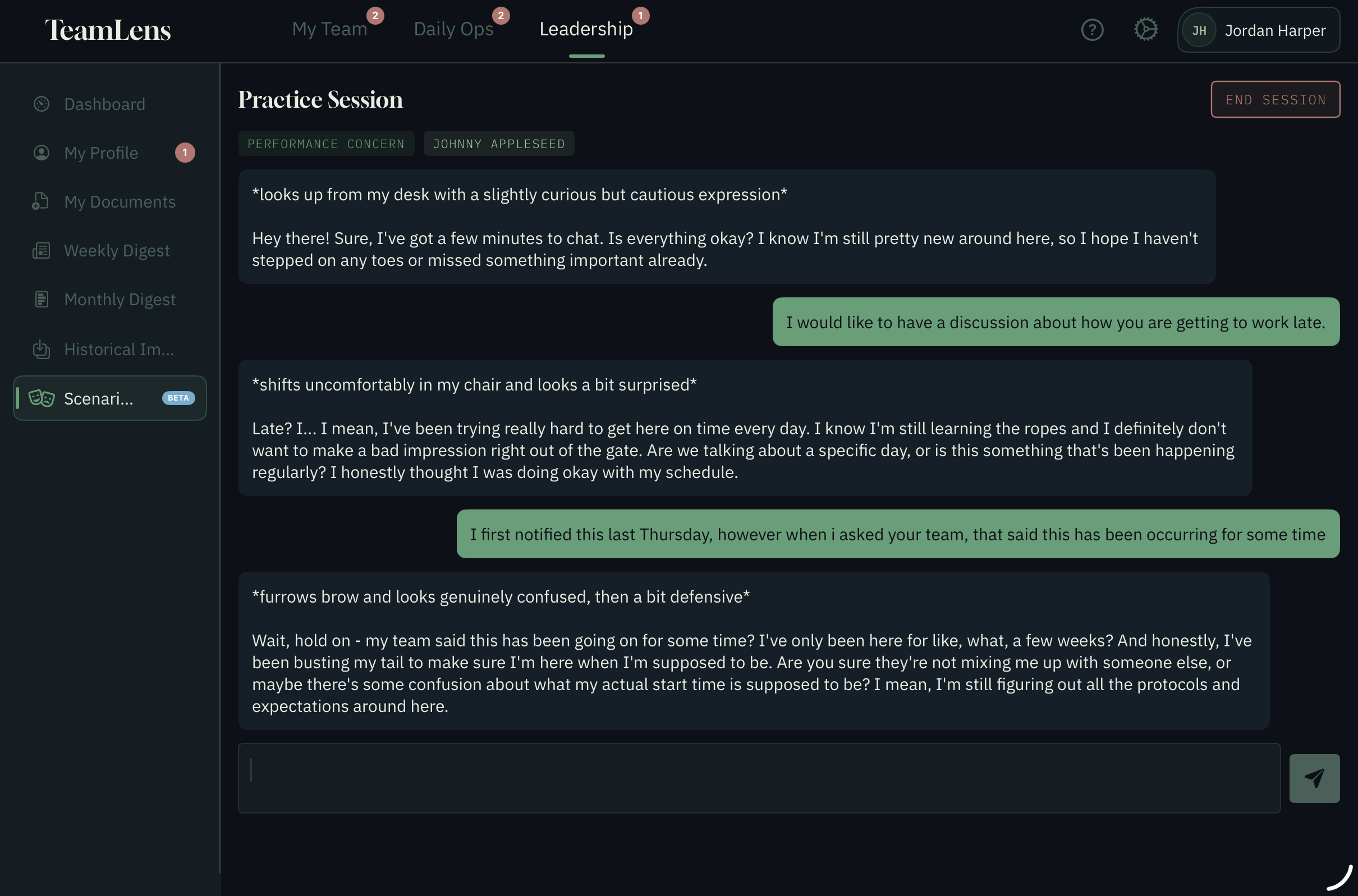
Designed around the real rhythm of managing people, not the theory.
Team Member Profiles
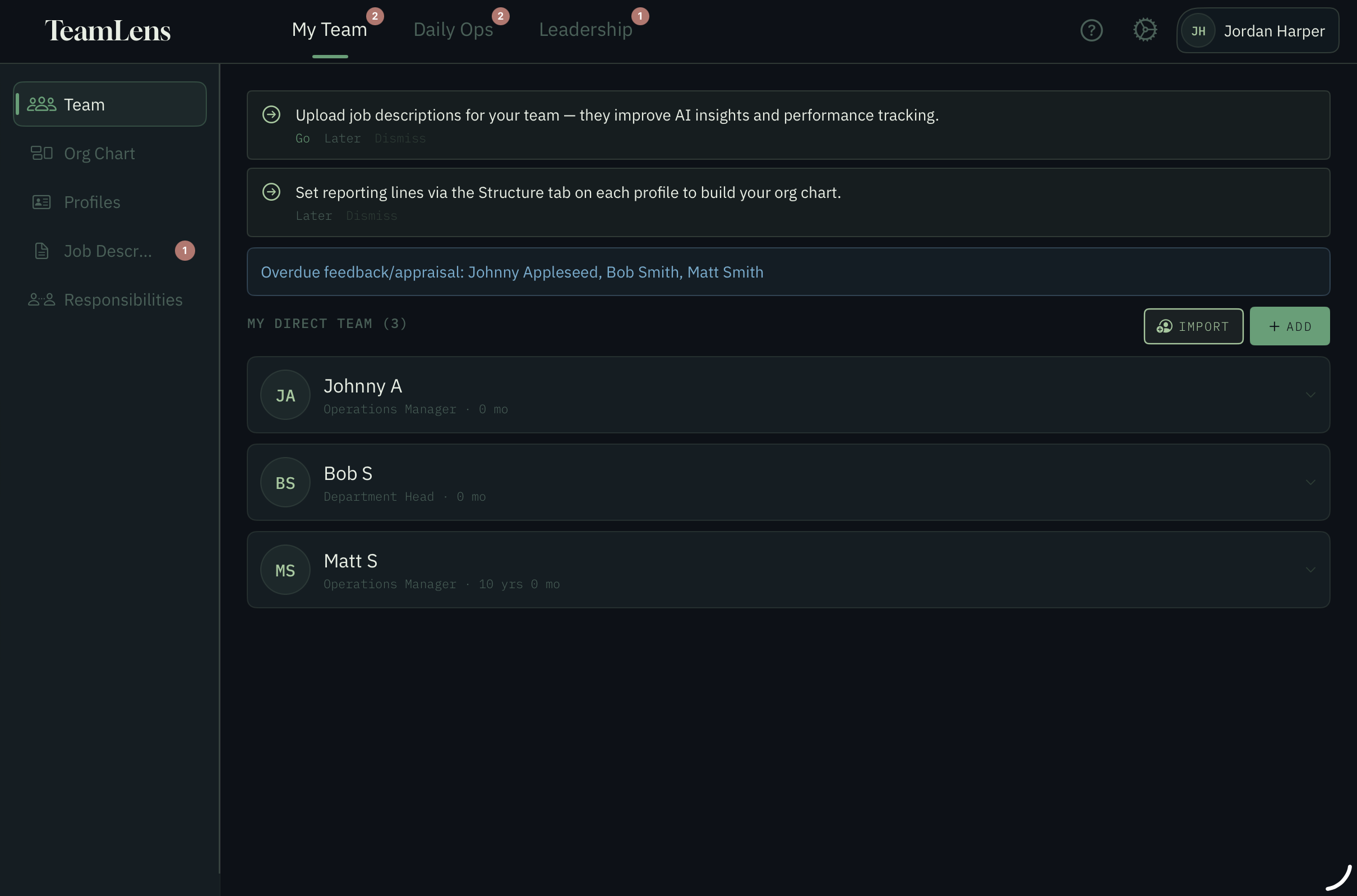
Build a complete picture of every person you lead. Track their strengths, development areas, communication preferences, personal context and career goals. When you sit down for a one-on-one, everything you need is already there.
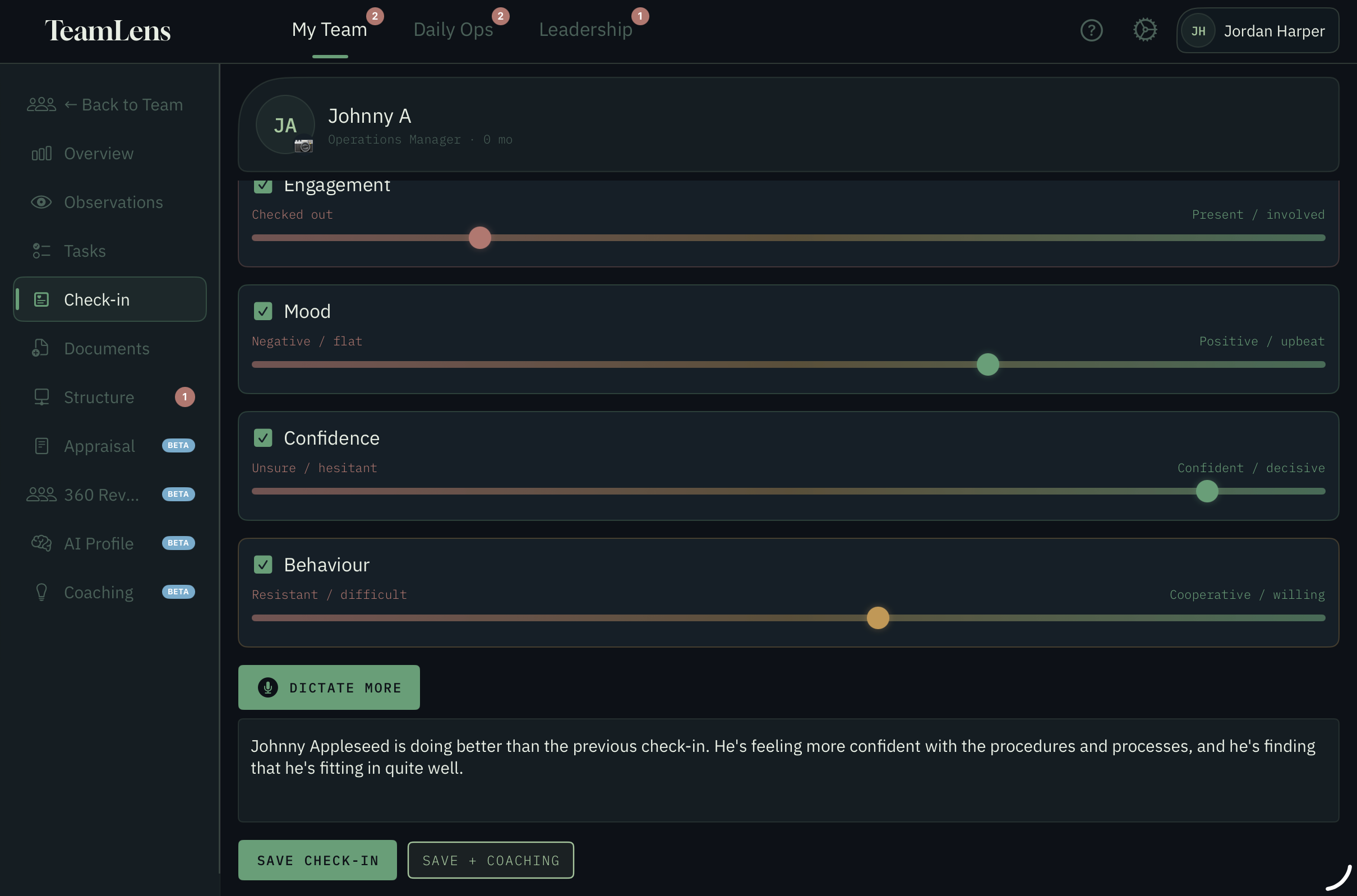
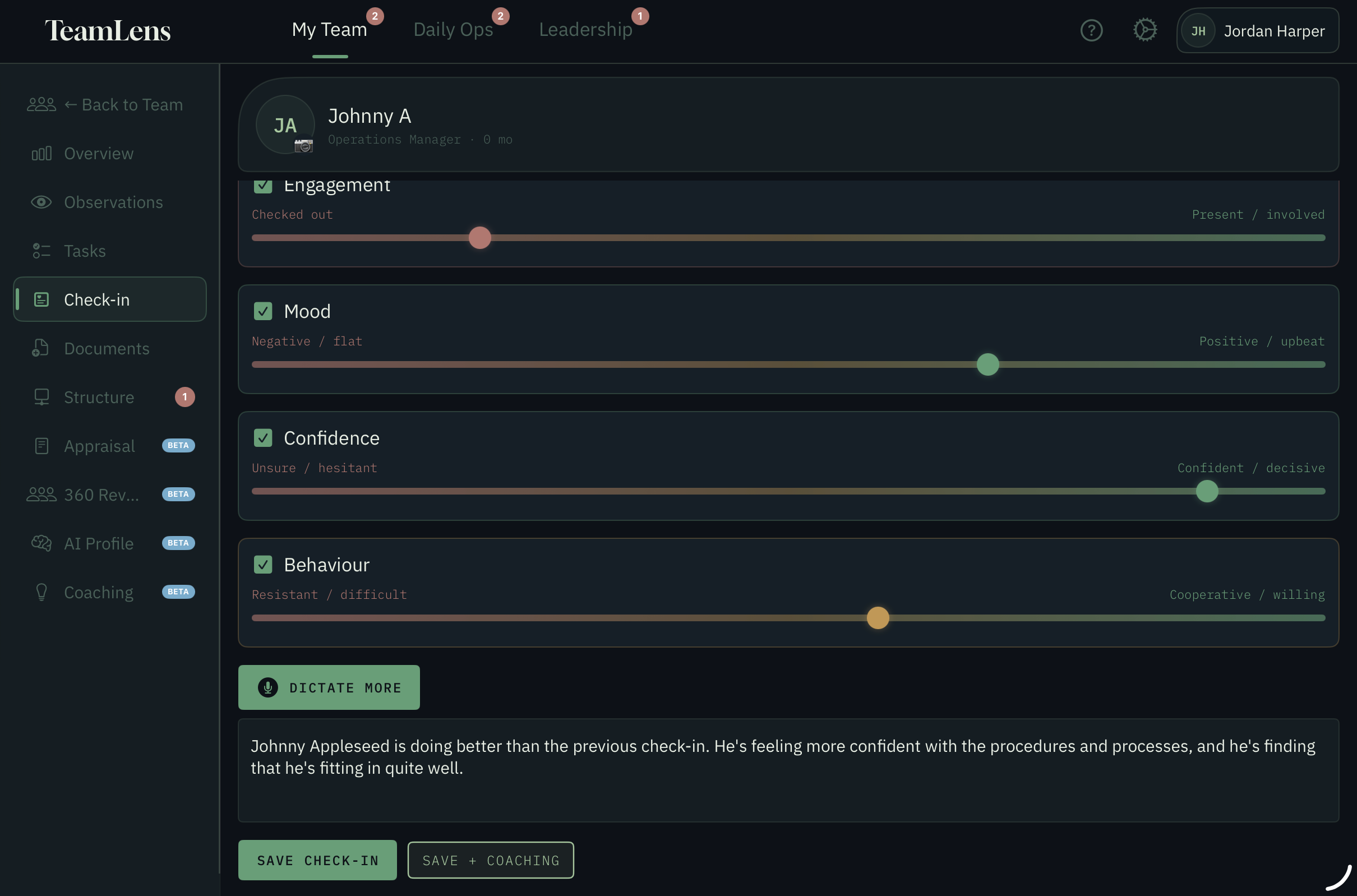
Structured Check-ins
Prepare properly for every one-on-one. Set talking points, capture notes in real time, track sentiment over time, and walk out with clear follow-up actions. No more forgotten conversations.
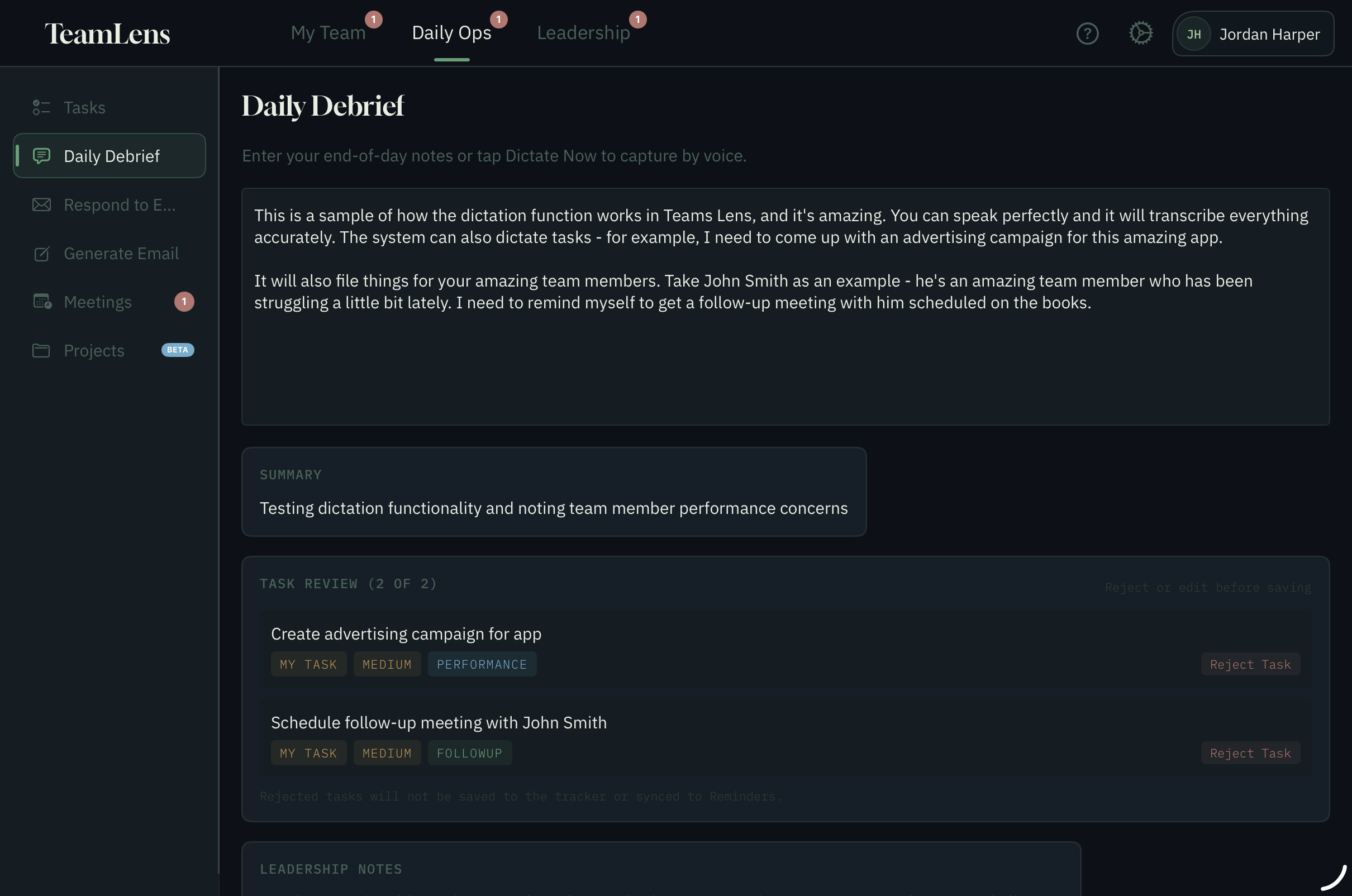
Daily Debrief
End each day with a 2-minute reflection. What went well, what needs attention, what to carry forward. Build a private record of your leadership patterns and growth over time.
Tasks & Follow-through
Track every commitment you make to your team. Linked to the person, the conversation, and the context. Follow through reliably — because trust is built in the small things.
Meeting Preparation
Walk into every meeting prepared. TeamLens surfaces relevant context, pending actions, and recent notes for each attendee so you know what to raise and who needs attention.
Leadership Dashboard
See your team at a glance. Who you haven't checked in with recently, which follow-ups are overdue, and where attention is needed today. Stay across your team without living in spreadsheets.
Manager Profile
Build your own leadership profile alongside per-member style notes. Track how you engage with each team member — their communication preferences, what motivates them, where they need support — and get practical guidance on how to adapt your approach person by person.
Email drafts that sound like you
Draft team-comms emails from a one-line brief. TeamLens asks clarification questions before drafting (so you don't get a wall of generic copy), produces a draft in your writing style, and lets you iterate in plain English. When you're happy, send through the system Mail app and TeamLens archives the final exported version.
Tasks that follow you to Reminders
Every task you create — from a check-in, a debrief, or a meeting — can sync to Apple Reminders. Your team sees the task on their iPhone or watch; TeamLens keeps the context (who you said it to, what the conversation was about, what to look for). One source of truth, two surfaces.
Smart Dictation
Speak your debrief or meeting notes; TeamLens cleans up the transcript, extracts actions, and links each item to the right team member. Useful for the 20 seconds after a corridor conversation where you'd otherwise lose the detail.
AI-Assisted Drafting
Draft check-in summaries, performance observations and follow-up notes from short prompts. Speak or type a one-line brief; TeamLens drafts in your voice and lets you refine in plain English until the draft is right. AI features are powered by Anthropic — you decide what gets kept.
Privacy by Design
Your team notes, debriefs and observations stay on your iPad. AI features send the specific text you ask about (a debrief, a draft email, a member note) to Anthropic for processing — nothing is used to train their models, and nothing is sold. Tasks sync to Apple Reminders so your team can act on them; you choose what gets sent.
FAQ
Common questions
The questions managers ask before they tap the App Store badge.
What does it cost?
TeamLens is free to download. You can use the full app for the first seven days from your first AI use — after that, the Free tier is limited to 3 AI generations per day. TeamLens Pro removes that cap and unlocks meeting prep, appraisal tools and other team-leadership features. AI usage is subject to fair-use limits that vary by plan, and plan inclusions may change as service costs and model availability change. Current pricing lives in the app — open the App Store listing for AU$ amounts.
How does the AI work?
TeamLens uses leading AI models from Anthropic to help you draft, summarise and reflect — for example, cleaning up a dictated debrief into structured talking points, or drafting an email from a one-line brief. AI runs in the cloud, not on your device. The specific text you ask about is sent to Anthropic for processing; nothing is used for model training. Model versions and capabilities may change over time as Anthropic updates or retires models. We do not guarantee any specific model is available forever — but the feature behaviours stay consistent.
Where's my data?
Your team notes, debriefs, observations and check-in records stay on your iPad. AI features send the specific text you ask about to Anthropic for processing — nothing else leaves the device, nothing is used to train AI models, and nothing is sold. You can delete your account and wipe all on-device data at any time from Settings.
Does it sync with Apple Reminders?
Yes. Tasks created in TeamLens can sync to Apple Reminders so your team members can see and complete them on any Apple device. You choose which member lists sync. TeamLens stays the source of truth for context (the conversation, the linked member, the original brief); Reminders is the execution layer.
Is it on iPhone?
Not in this version. TeamLens is built for iPad — the landscape layout matters for the daily debrief, side-by-side member views and email drafting flow. We may consider an iPhone companion later, but the iPad is the home surface today.
Can I use it offline?
Most of TeamLens works offline — member profiles, notes, check-in capture, daily debrief, task list. The AI features (drafting, summarising, debrief cleanup) need a connection because they run in the cloud. If you're offline you'll see a friendly notice with a Retry button.
Ready to lead with more clarity?
TeamLens is coming soon to the App Store. Designed for iPad (iPadOS 17 and later).